Crypto Wallet Design
End-to-end design of a dual-layer Web3 wallet serving both retail investors and technical developers. Streamlining complex L1 operations into a clean, intuitive, and highly secure user interface.
The Project
Nuklai is a Layer 1 blockchain for data economies. In early 2023, it had no native wallet and users had no way to hold NAI tokens, track on-chain activity, or interact with the network without generic third-party tools.
I led end-to-end UX/UI design for the first native wallet. Covering onboarding, transfers, transaction review, address book, and mobile. Designed for both developers and non-technical users from day one.

My Role
Product designer. Sole UX/UI owner across all wallet flows.

Scope
Onboarding, transfer, transaction review, address book, blockchain explorer, wallet settings, mobile.

Collaboration
Dev team and DevRel. Aligning flows with gas fee behaviour, transaction latency, and private key constraints.
The Challenge
The real challenge was not designing a wallet that worked. It was designing one that served two fundamentally different users at once: developers who needed raw access and control, and non-technical users who needed to feel safe before moving a single token.

Understand and Sympathize
Directional Interviews
I conducted directional interviews across two groups. The Nuklai team and the broader community members.

Nuklai Team
- Developers
- Marketers
- Product Owners
- CEO

Community
- Token Holders
- Ecosystem Participants
Talking to both groups was a deliberate choice. The team knew what the wallet was capable of. The community knew what would make them actually use it. The gap between those two perspectives became the most important design input of the entire project.
6 Questions
The interviews followed the user journey — from deciding to get a first wallet, through onboarding frustrations, to what it would take to switch to something new.
If you didn't have a crypto wallet yet, what would make you decide to get one?
When you set up your first crypto wallet, what was the hardest part to get through?
What makes you use the wallet you currently have and not a different one?
Is there anything you would fix or improve about your current wallet?
What would convince you to switch from your current wallet to a new one?
When you try a new wallet for the first time, what makes you decide to keep using it or delete it?
Market Research & Insights
To validate what I heard and map it against existing solutions, I benchmarked MetaMask, Trust Wallet, and Rabby (the three wallets most used by our target audience) looking specifically for the patterns that either built or destroyed user confidence during high-risk actions like sending funds and signing transactions.

MetaMask
Strengths
- Industry standard
- Stable, predictable browser extension
- Rich feature ecosystem
- Integrations with hardware wallets
Weaknesses
- Interface perceived as outdated and cramped
- Manual work with adding networks and tokens
- Issues with asset visibility after bridges
- Pop-up fatigue
- Complain about fees on built-in swaps and occasional performance issues
Useful patterns
- Smart Transactions
- Home screen showing cross-chain assets

Trust Wallet
Strengths
- Very simple, intuitive mobile interface
- Multi-coin / multi-chain in one place
- Convenient, fast built-in swap
- Simple onboarding
Weaknesses
- A lot of negative feedback about support
- Complaints about frozen funds, withdrawal problems, and unexpected fees
- Weaker perception of "deep security"
- Primarily mobile-only
Useful patterns
- Simple first run and onboarding
- Clean layout that does not overwhelm users with features

Rabby Wallet
Strengths
- Transaction safety
- Signature clarity
- Auto network detection
- Strong desktop/extension
Weaknesses
- Mobile stability issues
- Reports of risky swap/gas UX patterns
Useful patterns
- Pre-send simulation
- Balance delta preview
- Safe send patterns



Translating Insights into Strategy
Research surfaced three recurring gaps — security friction, information clarity, and guidance at high-stakes moments. This phase translated those gaps into a shared strategic direction: a set of product goals, user goals, and technical constraints that stayed aligned throughout the entire design process.

Product Goals
- Make security visible at every critical step
- Deliver complete information before every irreversible action
- Guide users through complex decisions without requiring expertise

User Goals
- Move real value with confidence
- Understand every action before committing to it
- Be guided through unfamiliar decisions without getting lost

Technical Considerations
- Security guardrails and explicit confirmation at high-risk moments
- Full transaction context visible before the point of no return
- Smart defaults and progressive disclosure for both technical and non-technical users
How might we
With the strategic direction clear, the gaps were reframed as design opportunities. Each question is anchored to a specific research finding — precise enough to focus ideation, broad enough to leave room for unexpected solutions.
HOW MIGHT WE...
...make critical wallet actions feel safe and easy to verify for users who are unfamiliar with self-custody risk?
HOW MIGHT WE...
...make critical actions easier to review before users commit without frustrating experienced Web3 users with unnecessary steps?
HOW MIGHT WE...
...guide users through every decision from onboarding to sending funds so the next step is always obvious regardless of their technical level?
Design Principles
Each principle maps directly to one of the three research findings — and every design decision in the sections that follow can be traced back to one of them.

Safer critical actions
- Sensitive information hidden by default
- Explicit risk warnings at every high-stakes moment
- Confirmation checkpoints that require active user commitment
- Inline validation that catches errors before they become irreversible
- Back option available at every step of a critical flow

Clearer action review
- Full transaction summary before commit
- Recipient trust status visible before confirmation
- Fee and estimated time displayed as confirmed context, not discovered after sending
- Consistent information hierarchy across all critical flows

Guided decision making
- Smart defaults that reduce the number of decisions a user needs to make
- Progressive disclosure — advanced features accessible but never competing with primary flows
- CTAs disabled until required actions are complete
- Address book as a trust tier
Shaping the user experience
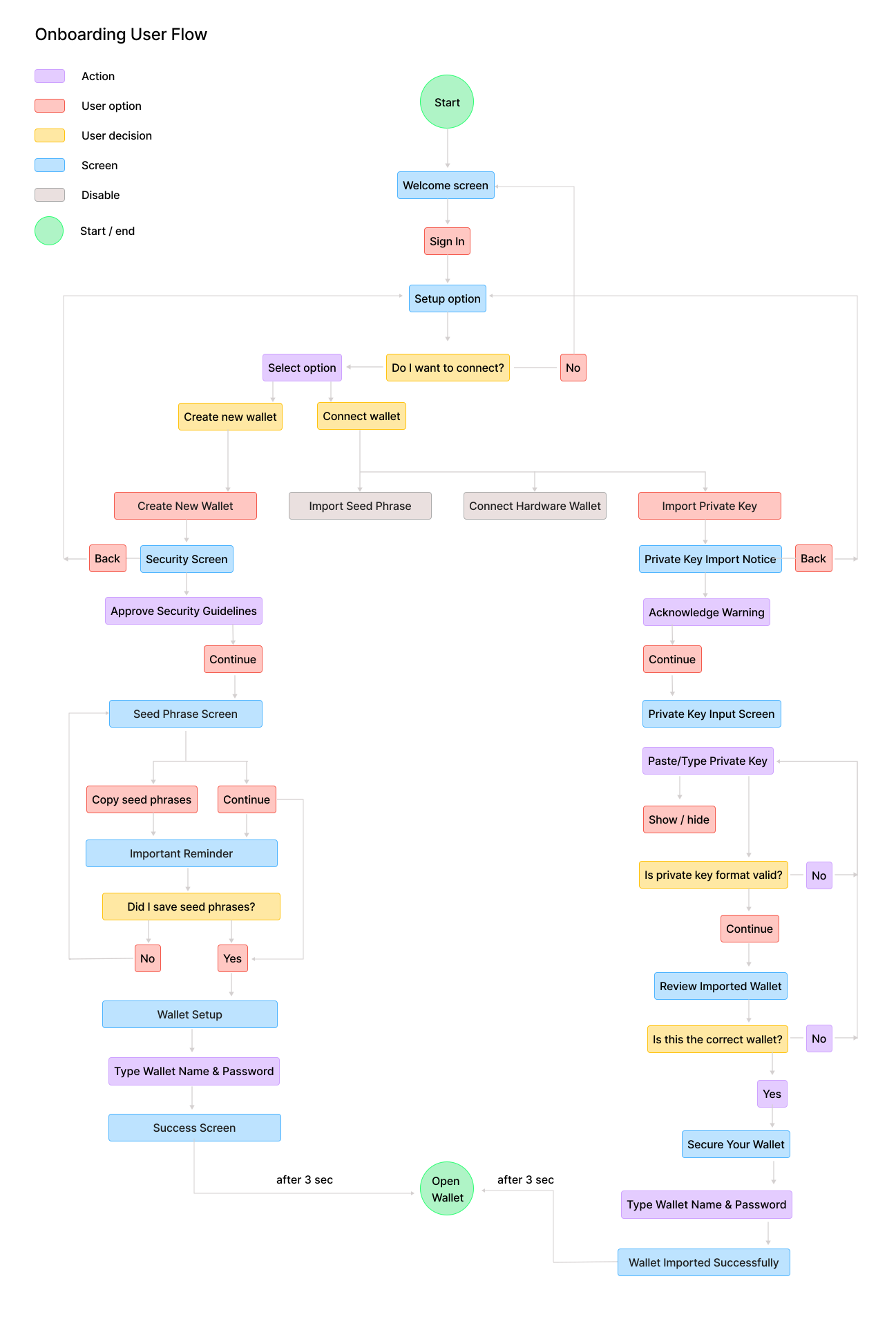
Onboarding example flow
I mapped the onboarding around clear choices, visible safeguards, and simple progression. The goal was to reduce setup friction while helping users feel confident from the very first step.
Onboarding tradeoffs examples
Every decision has a tradeoff. Below are two key onboarding moments with different approaches. Choose the path you believe strikes the right balance.
Tradeoff 1

Seed phrase confirmation
I chose option B
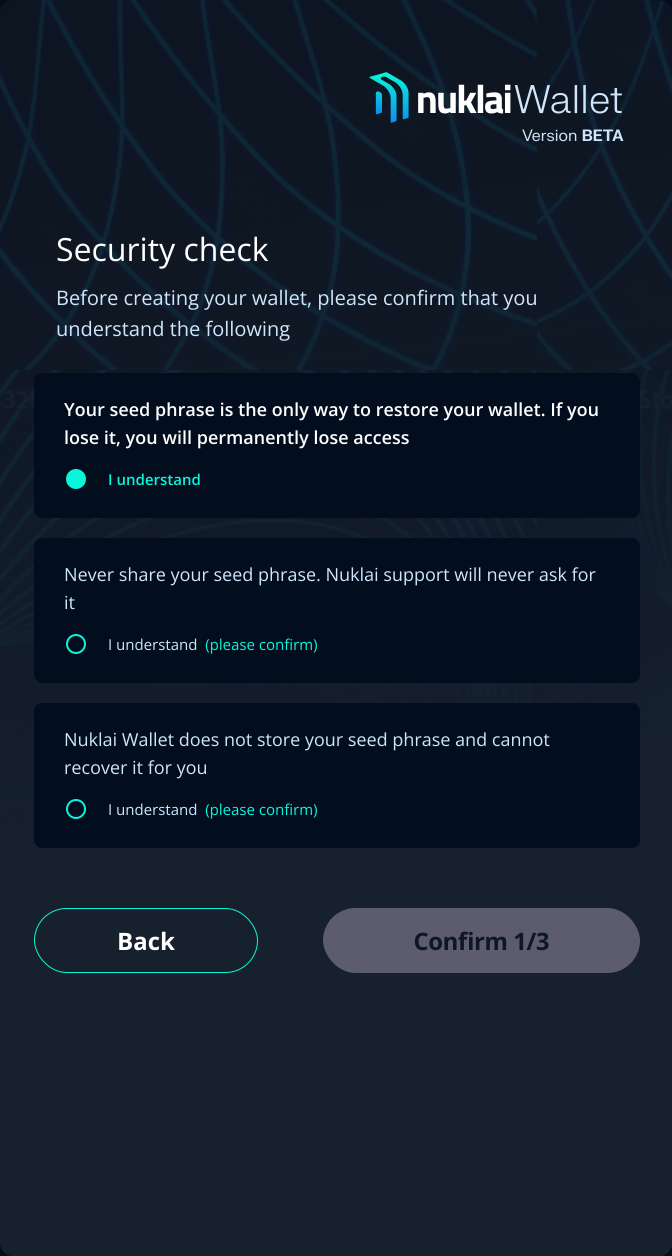
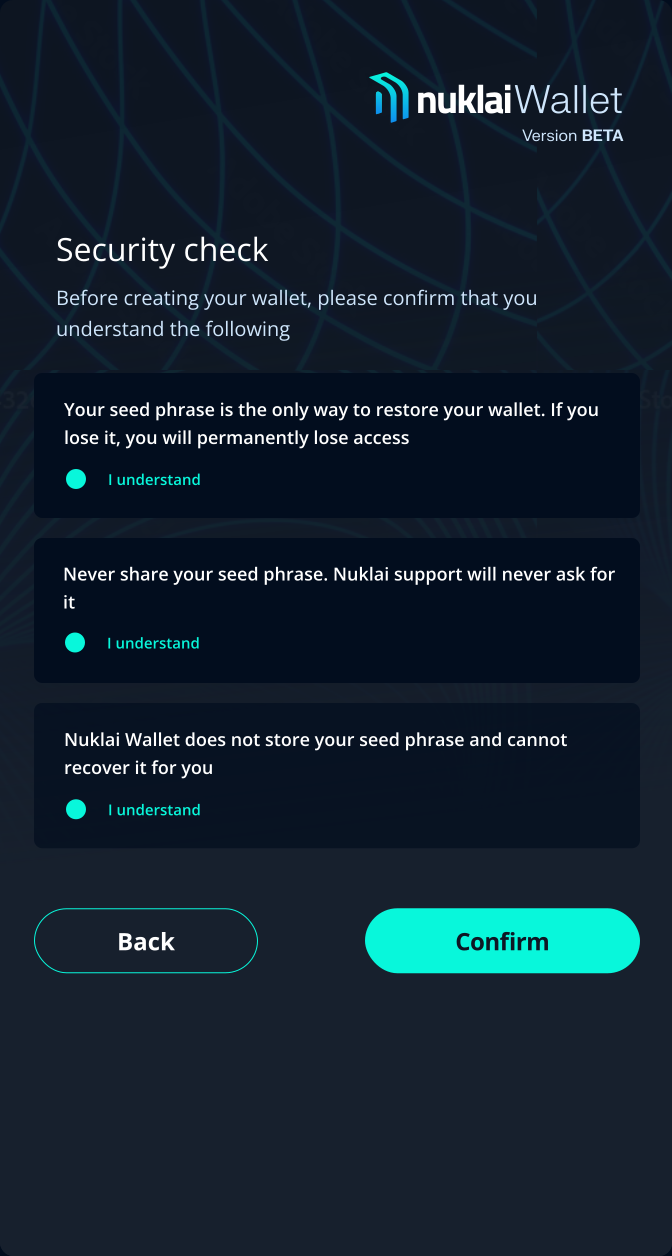
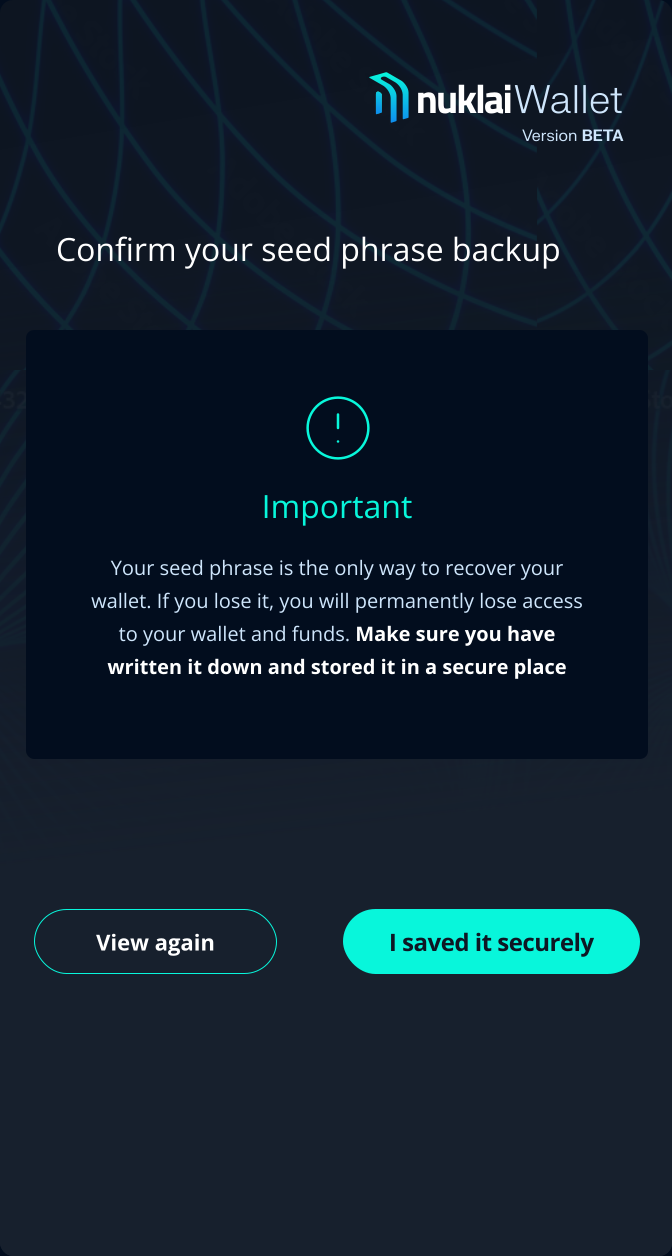
In a self-custody wallet, a user who skips a risk warning becomes a support ticket that cannot be resolved because no one can recover the funds. The extra 20 seconds of friction is not a cost — it is a filter for users who are actually ready to self-custody. The progress counter ("Confirm 1/3") turns the friction into a legible process rather than an obstacle.
Tradeoff 2

Private key exposure flow
I chose option B
Private key exposure is the single highest-risk action in any self-custody wallet. Every additional step between intent and execution is a moment for the user to reconsider. The password gate prevents accidental exposure on shared or unlocked devices. The warning is not dismissible — it is always visible when the key is shown.
Dashboard tradeoffs examples
Every decision has a tradeoff. Below are two key dashboard moments with different approaches. Choose the path you believe strikes the right balance.
Tradeoff 3

Dashboard structure
I chose option B
For users managing assets across multiple networks, hiding financial state behind navigation adds friction at the moment of decision. Three sections with fixed responsibilities eliminate ambiguity: users know where to look before they know what they are looking for.
Tradeoff 4

Financial section layout
I chose option A
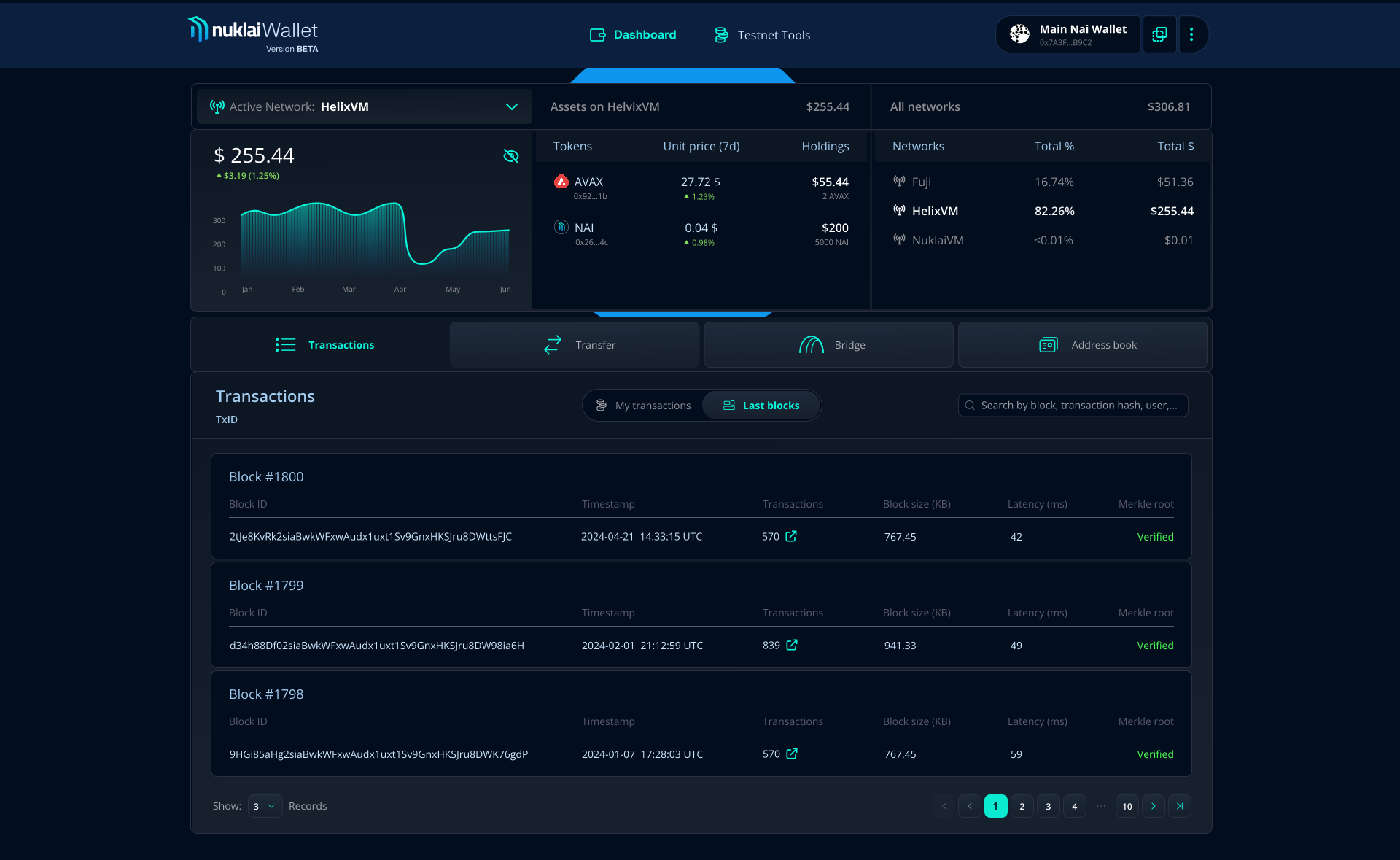
Switching networks to compare asset distribution is a repeated, unnecessary action. A single glance at three columns gives both user groups what they need without a context switch: non-technical users see total value immediately, developers see per-network allocation and token-level detail without leaving the dashboard. Market sentiment was added as a decision signal. A user deciding whether to transfer needs to know not just what they hold, but whether the value is moving.
Transfer tradeoffs examples
Every decision has a tradeoff. Below are two key transfer moments with different approaches. Choose the path you believe strikes the right balance.
Tradeoff 5

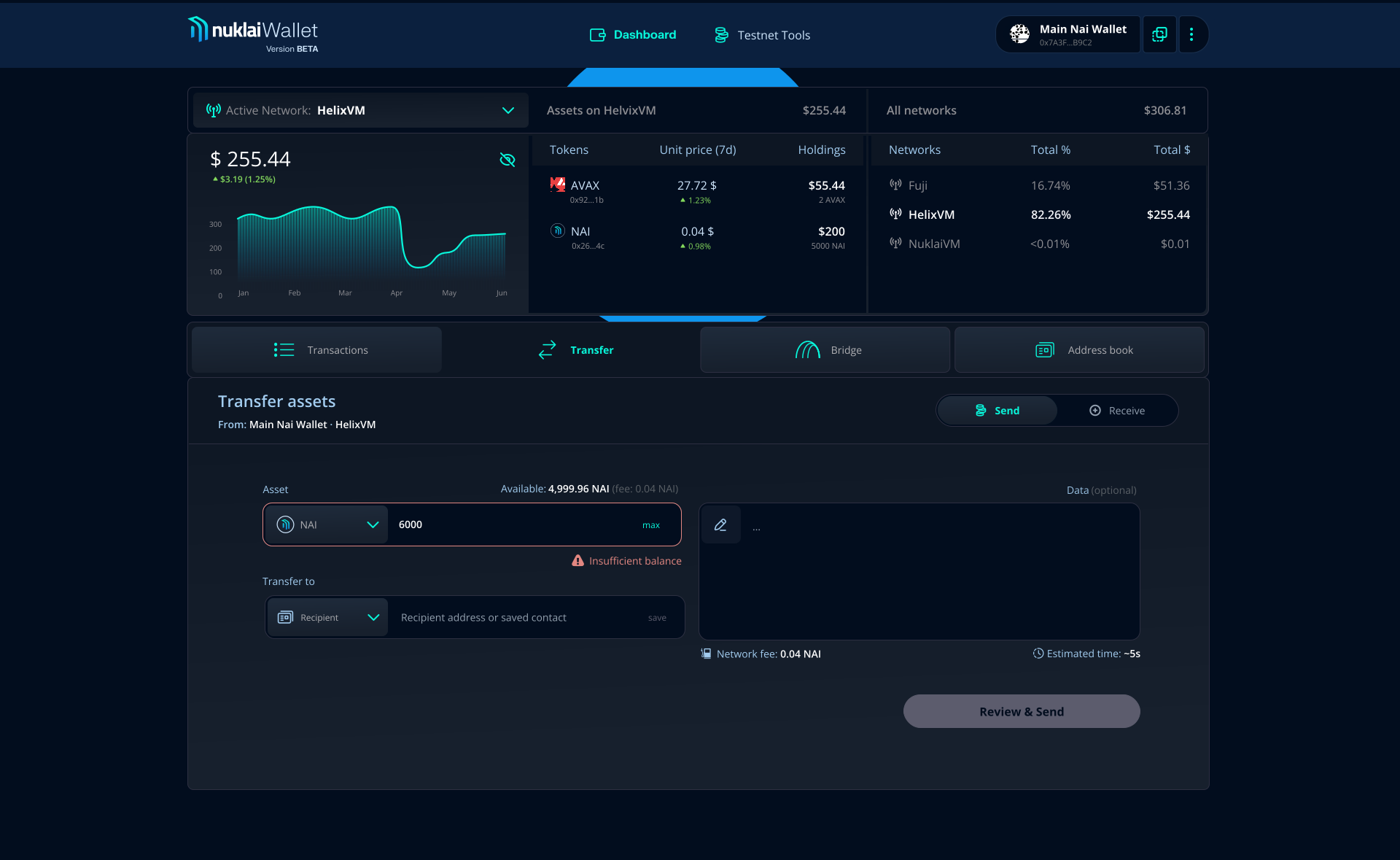
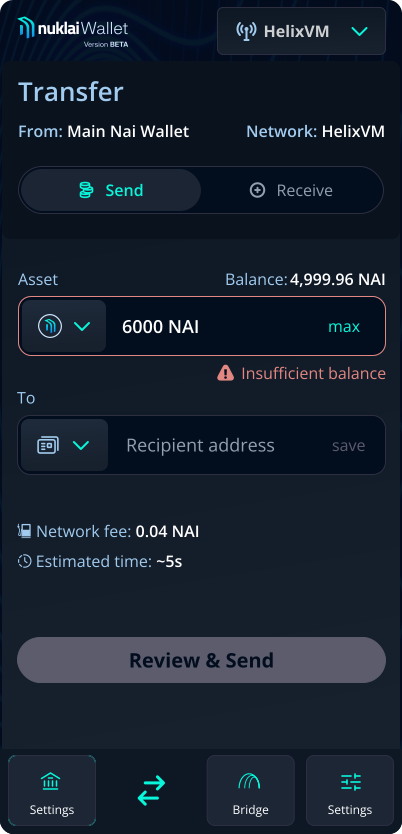
Errors before the point of commitment
I chose option B
In a transfer flow, the moment a user clicks a send button is the moment they have already decided to proceed. Surfacing errors after that decision even milliseconds after breaks trust at the highest-stakes point in the entire product. Three feedback layers eliminate that moment entirely. The user never reaches a broken submit. If they do reach the disabled CTA without understanding why, clicking it tells them exactly what needs fixing without requiring them to attempt an irreversible action to find out.
Tradeoff 6

Review screen as a safety gate
I chose option A
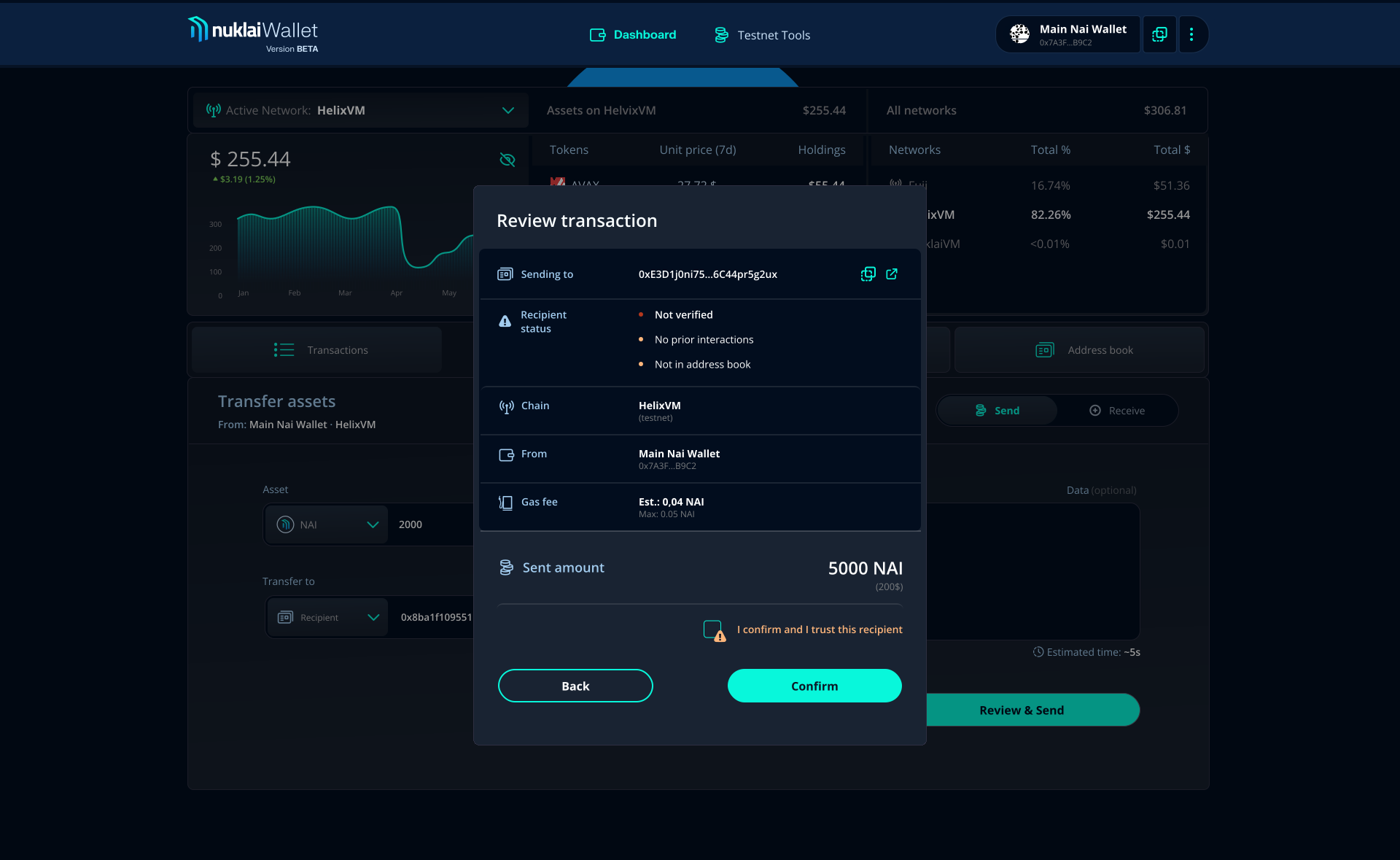
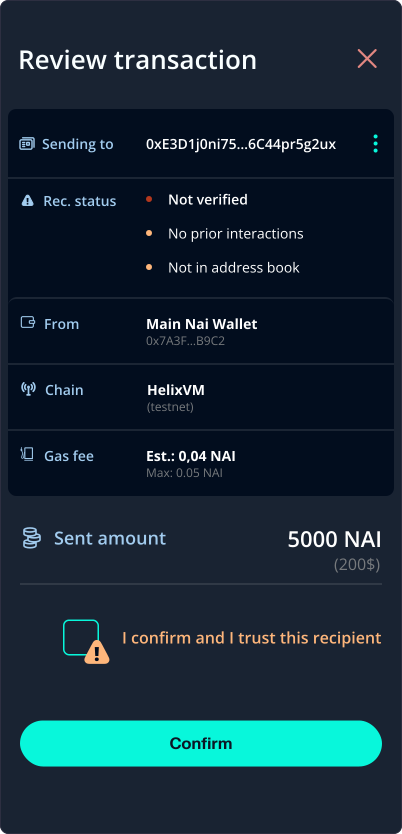
Every wallet has a confirmation step. What most do not have is a mechanism that responds differently to known and unknown recipients. Selective friction solves both failure modes at once: no unnecessary interruption for routine transfers, no insufficient warning for high-risk ones. The checkpoint appears only when the risk justifies it. Without this gate, a transfer error is a user problem. With it, the product has done everything it could.
Iterating Toward Clarity
A faster path to wallet creation
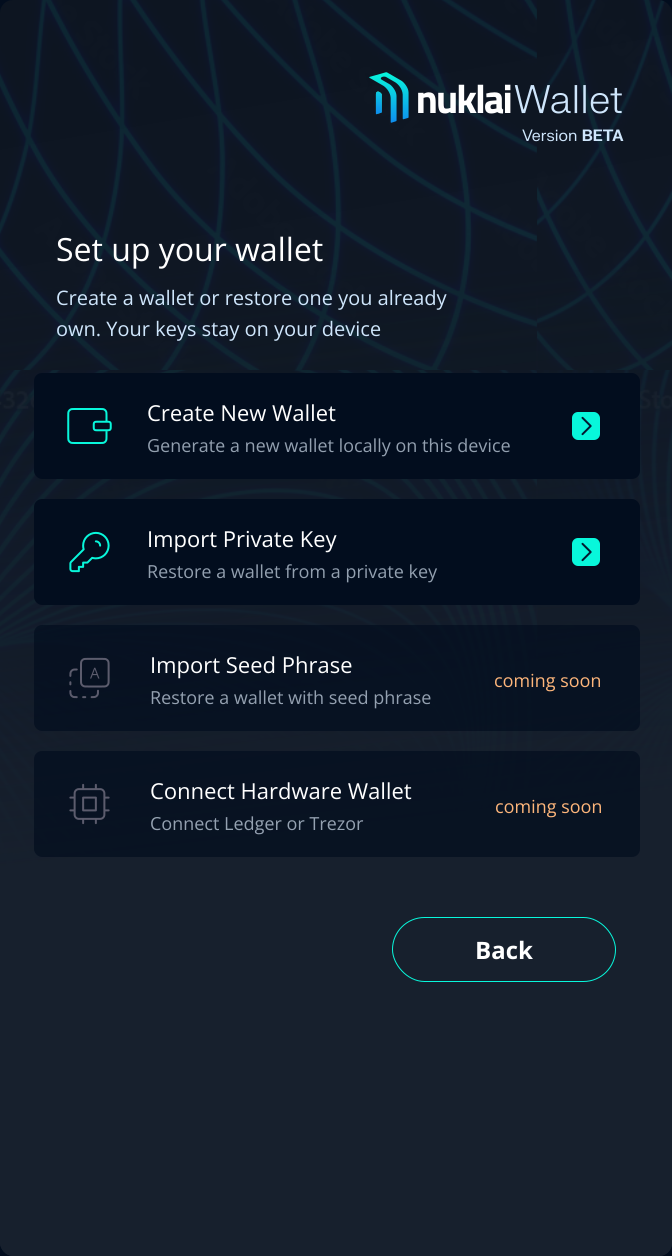
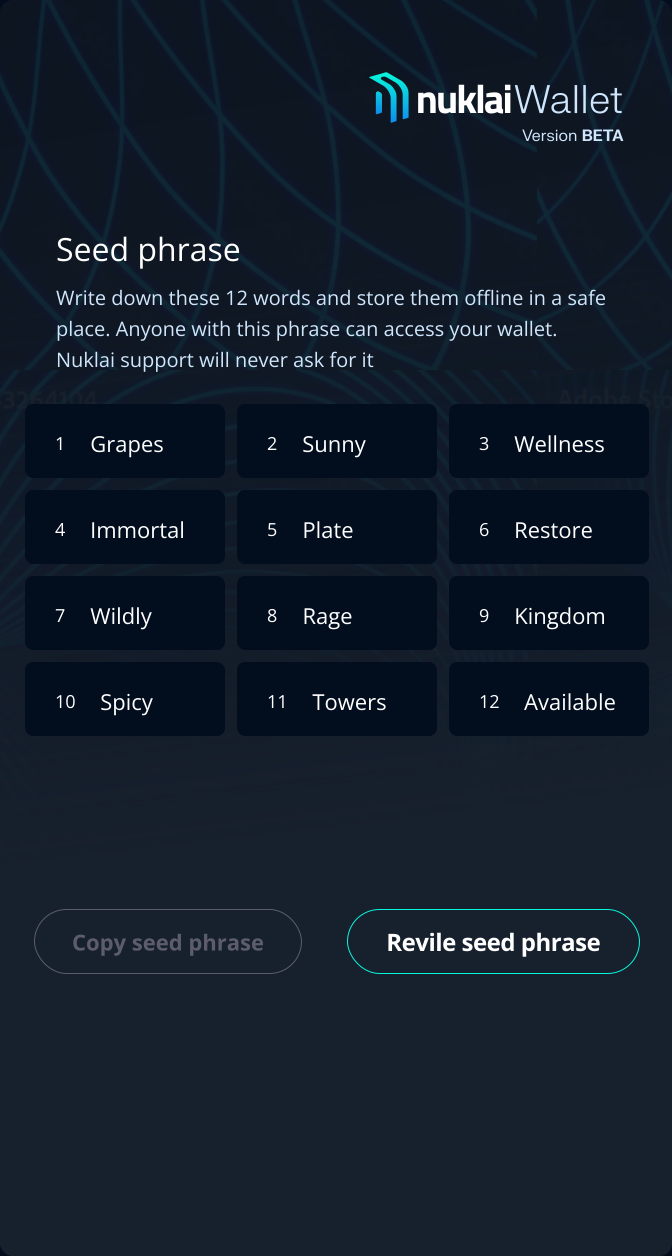
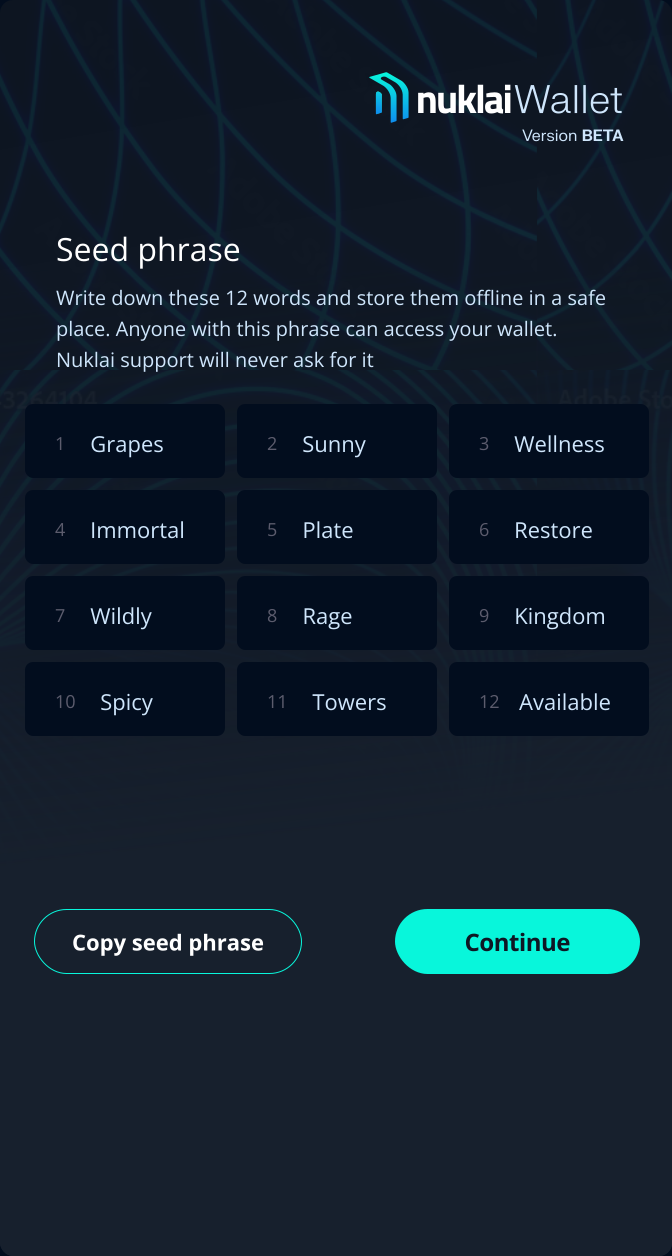
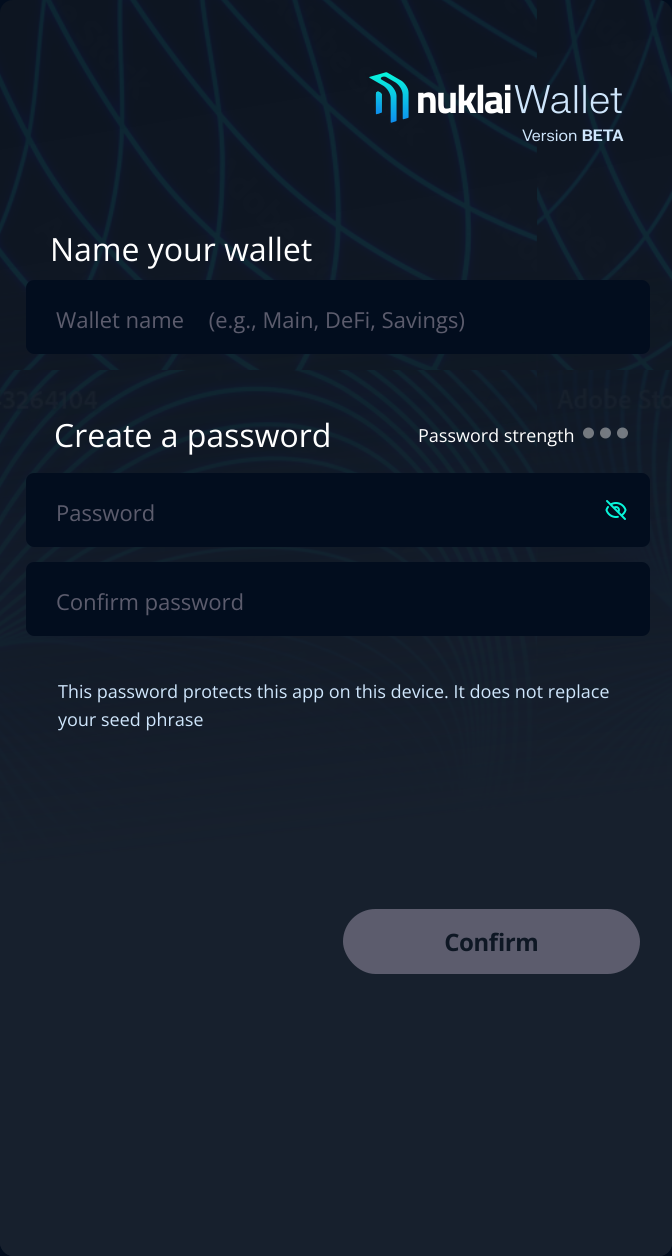
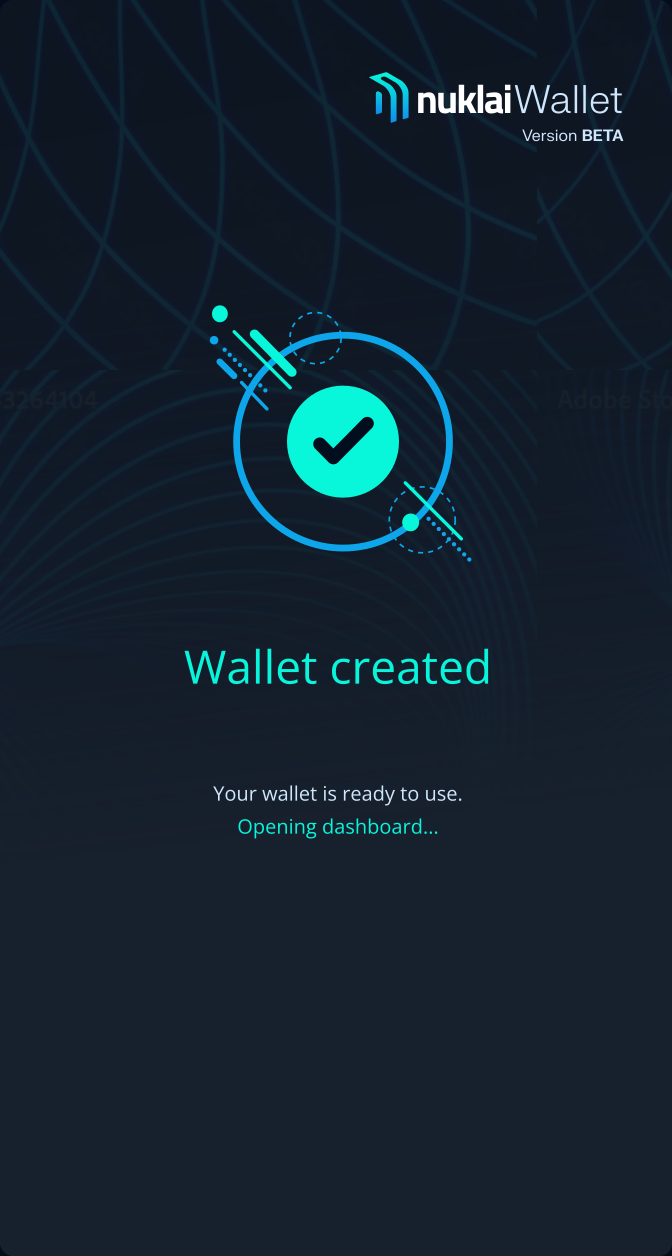
The onboarding was reduced to five clear, guided steps: security acknowledgment, seed phrase display, seed phrase backup confirmation, wallet naming, password creation. Each step has one job. No step requires information from a previous step to be recalled. The CTA is disabled until the required action is complete.

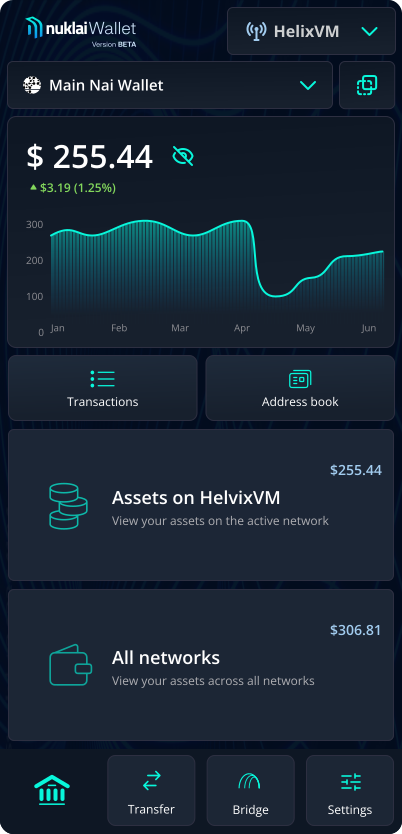
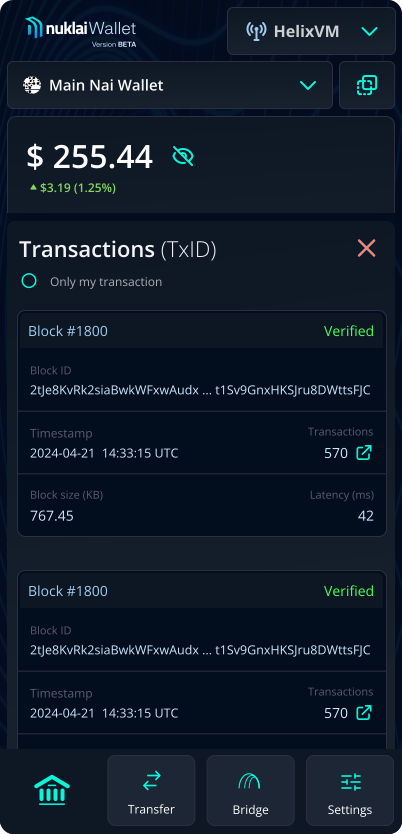
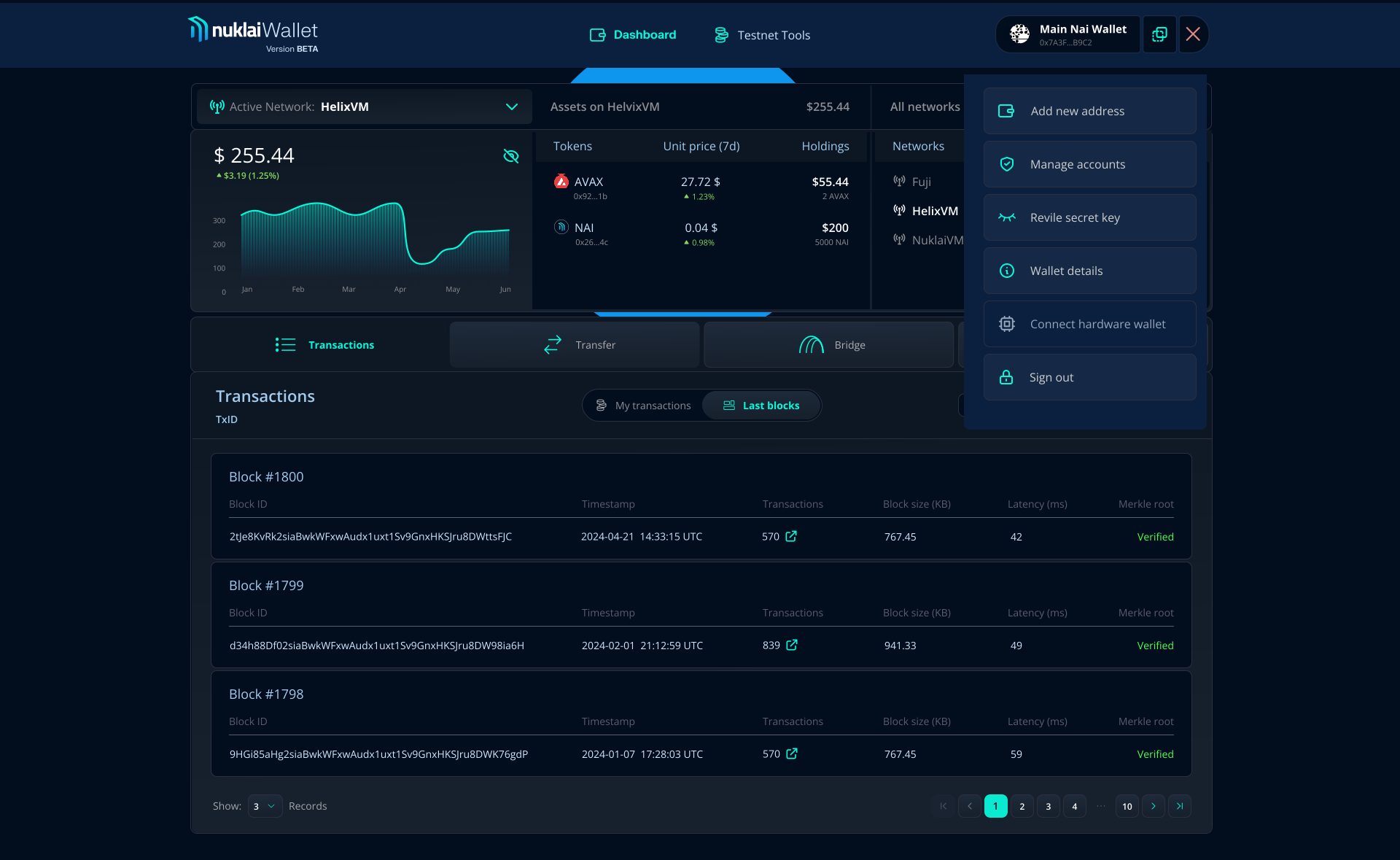
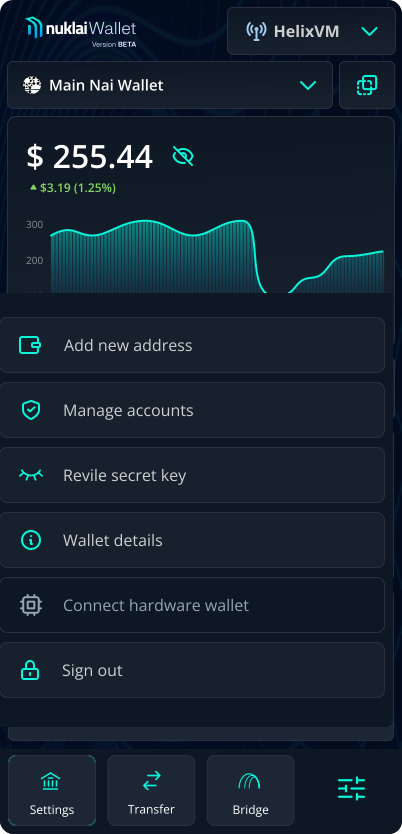
Dashboard Overview
Enabling clear decision-making on the dashboard

Goal
Users assess their financial state and choose the next action (send, bridge, monitor) in under five seconds.

Risk
Multiple assets across multiple networks and four primary actions create cognitive overload before the user has done anything.

Design decision
Structurally separated data from actions. Financial state (balances, tokens) is isolated at the top. Primary actions (Transfer, Bridge) get a persistent row below, keeping secondary tools accessible but out of sight.

Outcome
Clear visual hierarchy eliminated the "what do I do next" ambiguity that appeared in early review sessions. Scanning time for financial state dropped from multiple reads to a single glance.
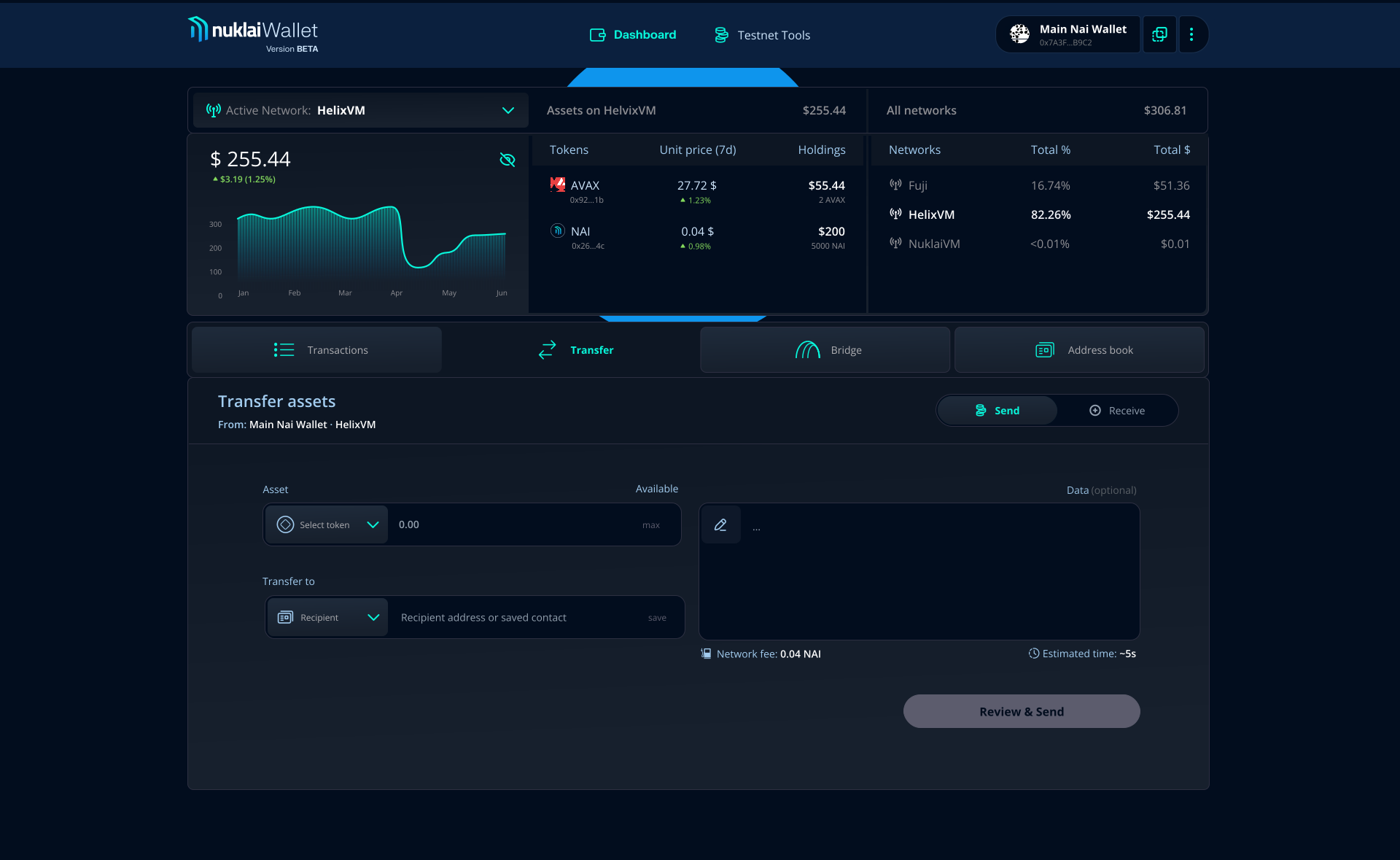
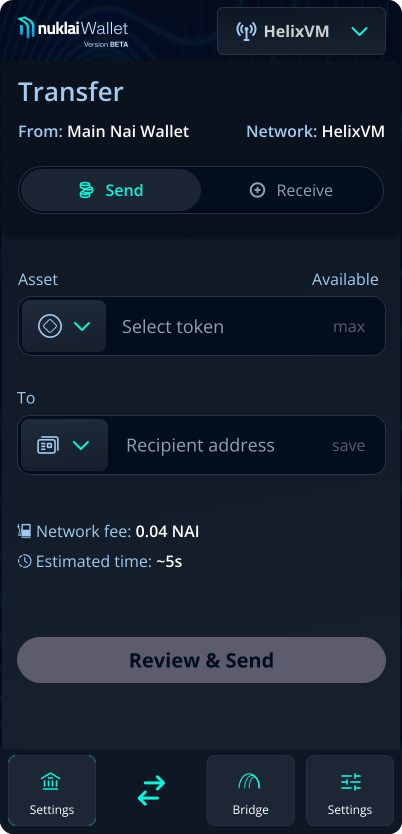
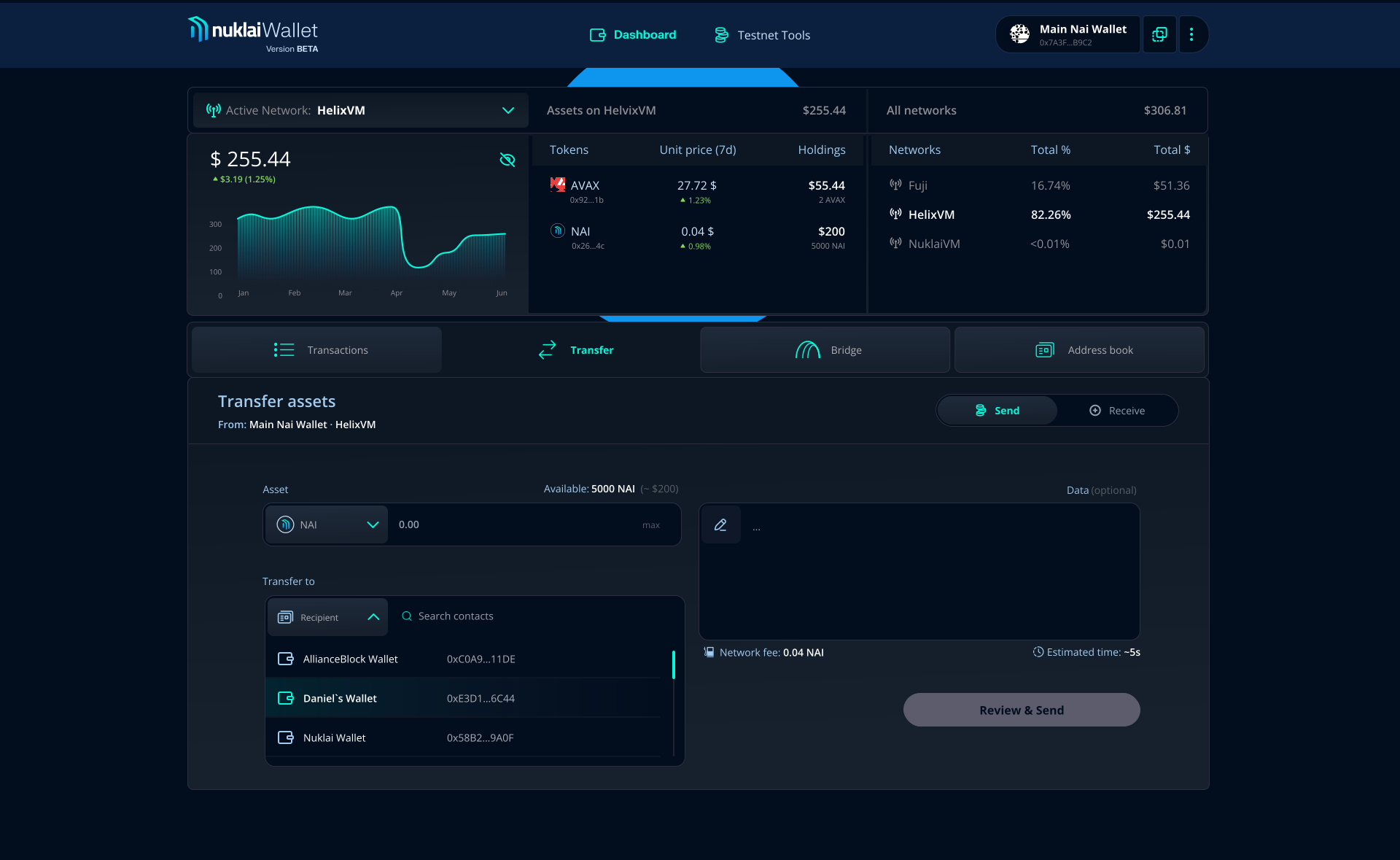
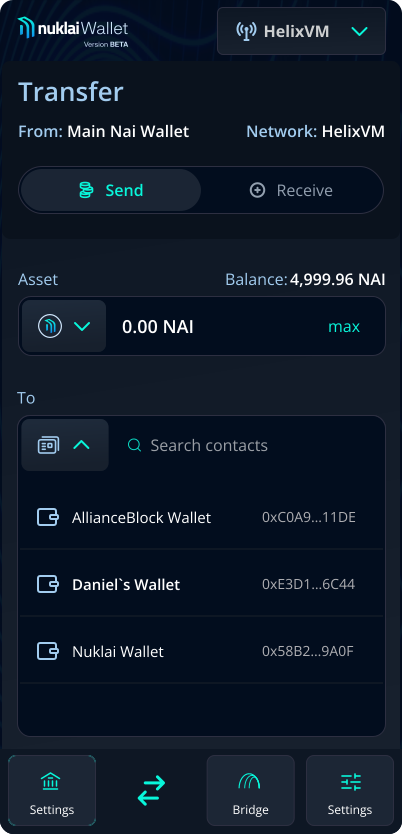
Transfer Overview
Reducing error in the transfer flow
Goal
Users send the correct asset, to the correct address, in the correct amount without requiring a second attempt.
Risk
Crypto transfer errors are irreversible. An invalid address or wrong network means permanent loss.
Design decision
I introduced three layers of prevention before the user reaches the confirmation step.
Outcome
Errors that previously surfaced at confirmation were caught at input. Users in review sessions completed transfers without backtracking. Each layer of prevention absorbed a category of mistake before it could become irreversible.
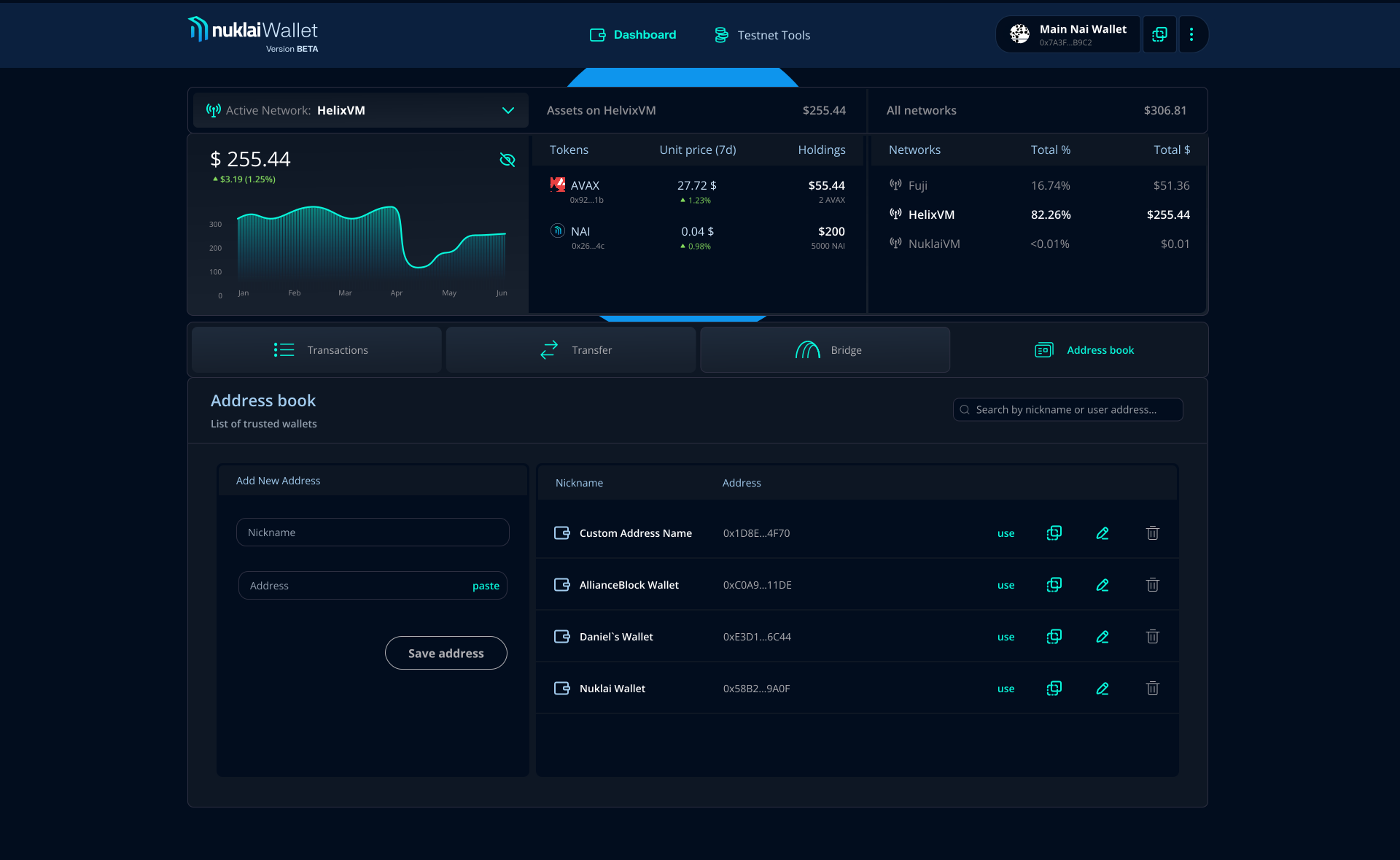
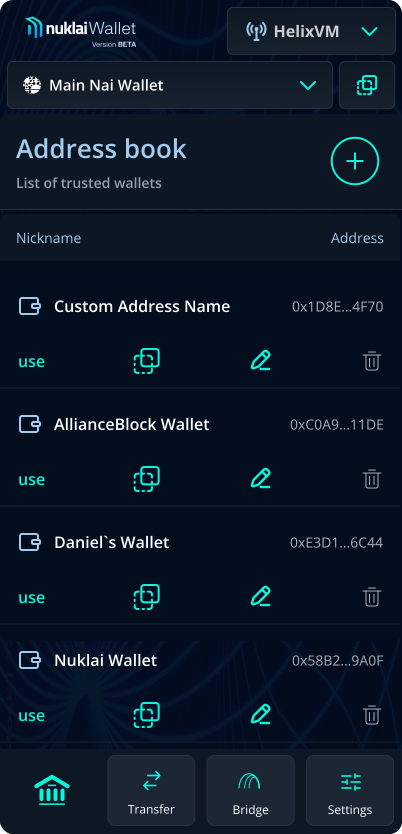
Address Book Overview
Enabling clear decision-making on the dashboard
Goal
Users build a curated list of verified recipients once. Every subsequent transfer to a known address requires a single selection, not manual entry. Addresses saved months ago remain available, verified, and ready to use.
Risk
Manual address entry is the most common source of irreversible transfer errors. A single incorrect character sends funds to an unreachable address permanently.
Design decision
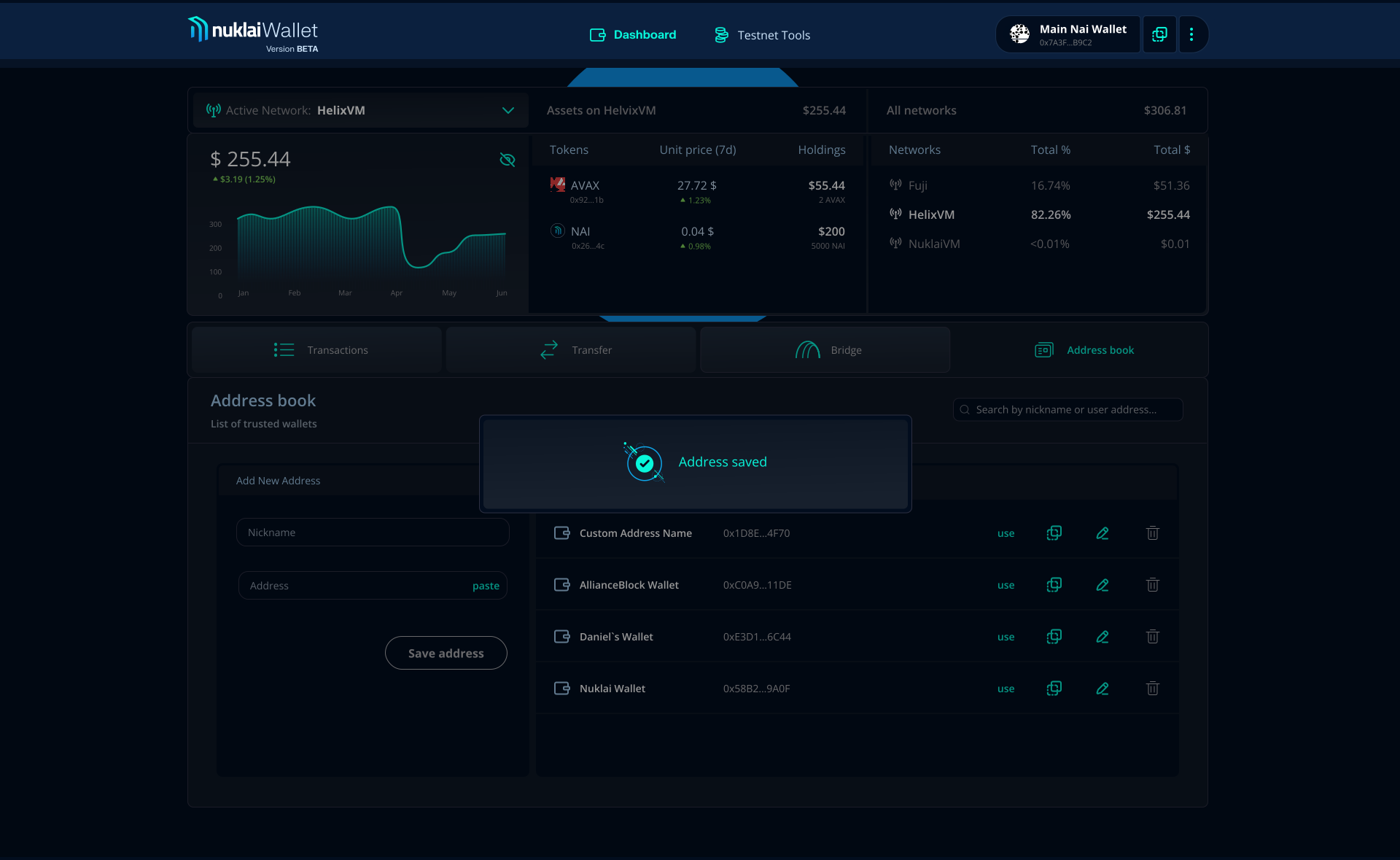
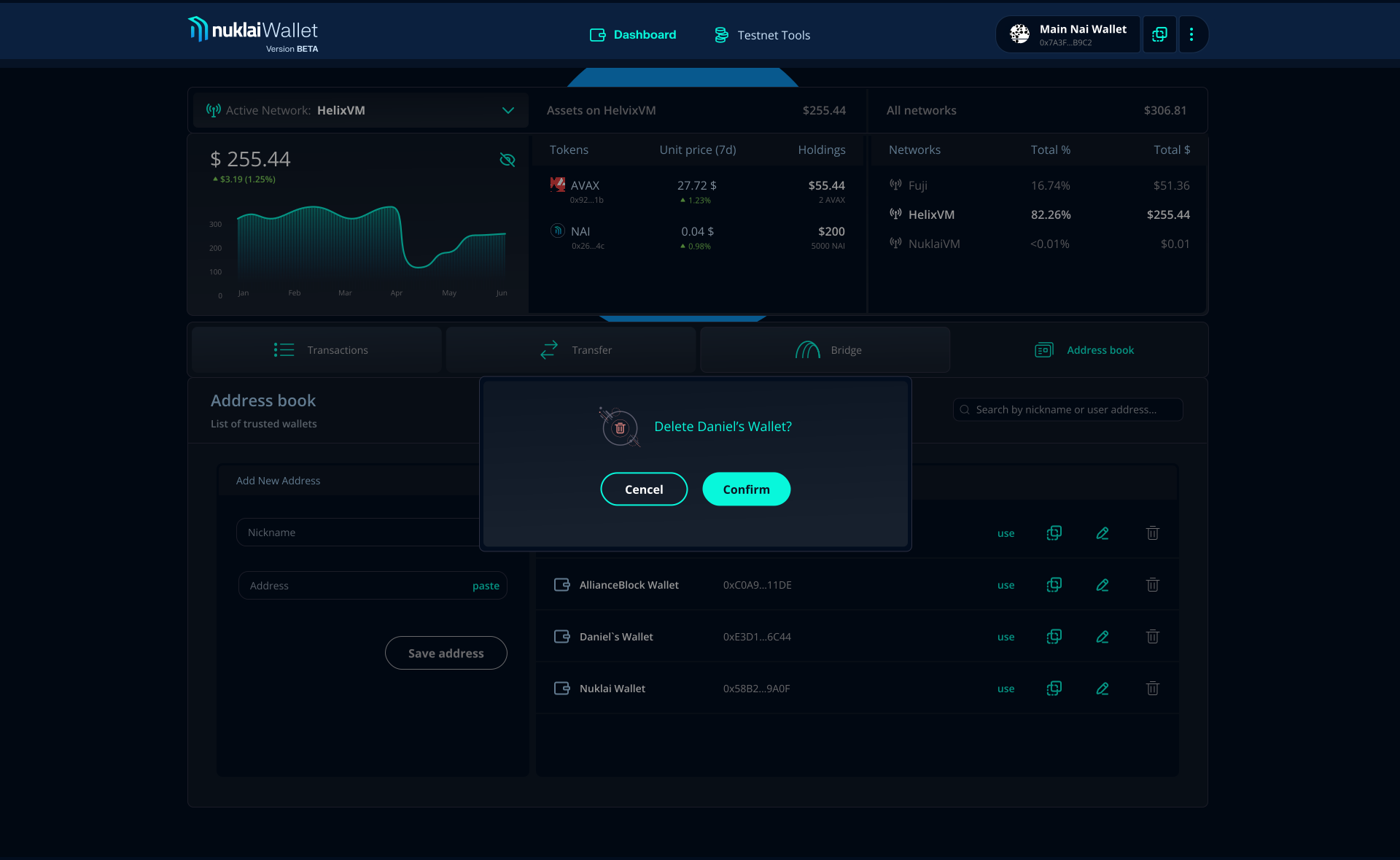
The address book operates on three levels. A persistent tab keeps it one click away from anywhere in the product, with full financial context always visible above. Inside the transfer form, saved contacts replace manual entry with a single selection. Inside the review screen, they feed recipient trust signals and bypass the safety checkpoint entirely, distinguishing known recipients from unverified ones at the moment it matters most.
Outcome
Every address entered once became permanently available across the entire product. Users sending to known recipients moved through review without safety warnings or additional checkpoints. With multiple accounts supported, a single trusted contact list serves every wallet, removing manual entry and verification overhead from every subsequent transfer regardless of which account initiates it.